How to Find the Actual Location of an Instagram Travel Post
The short answer: start with the location tag, but don't trust it on its own. Read the caption, on-screen text and comments next. If that fails, screenshot the most distinctive frame and search it with Google Lens or your iPhone's Visual Look Up. Then confirm the match by comparing at least two features on Google Maps or Street View. If you're still stuck, ask the creator. Before you plan a day around it, check the date and whether the picture shows something you can actually see in person.
This is the detailed version of one step in our guide to planning a trip from Instagram saves.
What does an Instagram location tag actually tell you?
Short answer: where the poster said it was, chosen from a list. It's a good lead, not proof.
- Tap it. Instagram's location page gathers public photos and videos shared with that location. Scroll through and see whether other people's pictures match the one you saved. If nothing looks similar, the tag is probably too broad or simply wrong.
- Expect broad tags. Instagram says you can't create a new location inside the app. Creators choose from existing listings, which come from public Facebook location pages, so a cafe might be tagged as its city, or a beach as the nearest hotel.
- Know it can change. Creators can add, change or remove a location after posting, and there's no sign Instagram asks for proof the photo was taken there.
- Vague can be deliberate. Some places ask for it. In late 2018 the Jackson Hole Travel and Tourism Board asked visitors to share photos with a generic location tag ("Tag Responsibly, Keep Jackson Hole Wild"), and Leave No Trace's social media guidance tells outdoor visitors to "tag thoughtfully" and avoid tagging specific spots. If a post on a fragile trail or a quiet cove hides its location on purpose, consider going somewhere that wants the visitors.
Where else does the place name hide in a post?
Short answer: usually in plain sight, just not where you looked first. Check these before you reach for any tool:
- On-screen text. Pause the reel. List-style videos may show each name for a second or two.
- Every slide. On a carousel, the name of the place is often on a later slide or the last one.
- The caption, in full. Tap "more". Names often sit below the hook, and hashtags can narrow down at least a city.
- Tagged accounts. A hotel or restaurant may be tagged in the photo or named as a paid partner.
- Comments. Scan for "where is this" and check replies from the creator. Commenters can be confidently wrong, so treat their answers as leads.
- The creator's other posts. Check their Highlights and the posts from around the same date. Travel creators often sort trips by city, and the same place may appear with a proper tag in another post.
- "Comment GUIDE for the link". Some creators use automation tools that send a link by DM to anyone who comments a keyword. Those tools are built to turn comments into messages, so expect the location to be part of the pitch. If you don't mind a public comment and a DM, it's often the fastest route.
Sending the reel to Otta on Instagram can save you this step. She listens to the audio, reads place names written on the video and the text in photos and carousel slides, together with the caption. She only pins a Google Maps place when she's confident, and otherwise saves it without a pin rather than the wrong one, so unpinned places still need your eyes. The reel stays with the place, so you can replay it later.
How do you reverse image search an Instagram photo?
Short answer: take a screenshot, crop out everything but the distinctive part, search it with Google Lens, and try another engine if Google is too vague.
- Pick the right frame. For a reel, pause on the clearest view of a sign, a skyline, a facade or a menu. A close-up of a plate is much harder to place than a wide shot of the room.
- Use Google Lens. On iPhone or Android, open the Google app, tap the Lens icon in the search bar and pick your screenshot. Drag the corners of the selection box around the part that matters. On a computer, go to google.com, choose Search by image and upload the file.
- Try your iPhone's built-in tools. In Photos, open the screenshot full screen. If the Info button shows a star, tap it and then Look Up. Apple says this can identify landmarks, statues and art, though it isn't available in every region or language. On iPhone 15 Pro and later, Visual Intelligence can search what's on your screen after a screenshot.
- Switch engines if Google stalls. A 2024 comparison by DomainTools found that Google is strong on well-known subjects and weaker on obscure ones. It rated Yandex strongest for location identification, including an obscure European riverbend. Bing lets you crop to different parts of the image. TinEye mainly finds other uses of the same image, so it's better for tracing a repost to its original than for naming a place.
Here's what to expect, roughly:
| What's in the picture | How likely a search is to help | What to do next |
|---|---|---|
| Famous landmark or skyline | Good | Confirm the exact viewpoint on a map |
| Street with readable signs | Good | Type the sign text plus the city into Maps |
| Restaurant or cafe interior | Hit or miss | Search any logo, menu wording or dish, plus the city |
| Hotel room or pool | Hit or miss | Compare against the hotel's own photos and listings |
| Beach, cove or forest | Poor | Look for a headland, building or road, then go to Street View |
What if Lens finds nothing?
Short answer: read the picture like a detective, narrow it to a region, and test your guess against Street View. Or just ask.
- Language and script. Signs, menus and shop names can tell you the country even when you can't read them.
- License plates. On EU plates, a blue strip on the left carries the country code.
- Which side cars drive on, along with road markings, poles and architecture. These narrow a region fast.
- Search what you can read. Even half a shop name plus a town can land you on a business listing.
- Test it on the map. Open Street View at your best guess and move along the road to find the same angle. Investigators who do this for a living look for several matching features, because one match can be a coincidence.
When you ask the creator, make it easy to answer. A vague "where is this?" is easy to ignore. Something like "Love this. Is it near Alfama? Trying to add it to our Lisbon trip" gives them a yes or no. Comment and DM once, and don't take silence personally: big accounts may never see it.
How do you know you found the right place?
Short answer: match at least two independent features, and check recent photos from other visitors.
Compare the tiles, chairs, door frames or the shape of the view against visitors' photos on the Google Maps listing. Check that it's the right branch, since chains and neighboring viewpoints can look alike. Then check it's still running. Google says a permanently closed business may still appear in Search and Maps, marked as closed, so a listing alone proves little. Our guide to turning TikTok travel videos into a plan has a fuller checklist for this.
How do you spot a misleading or outdated post?
Short answer: check the date, the disclosure and the physics. If only one angle of a place exists online, be suspicious.
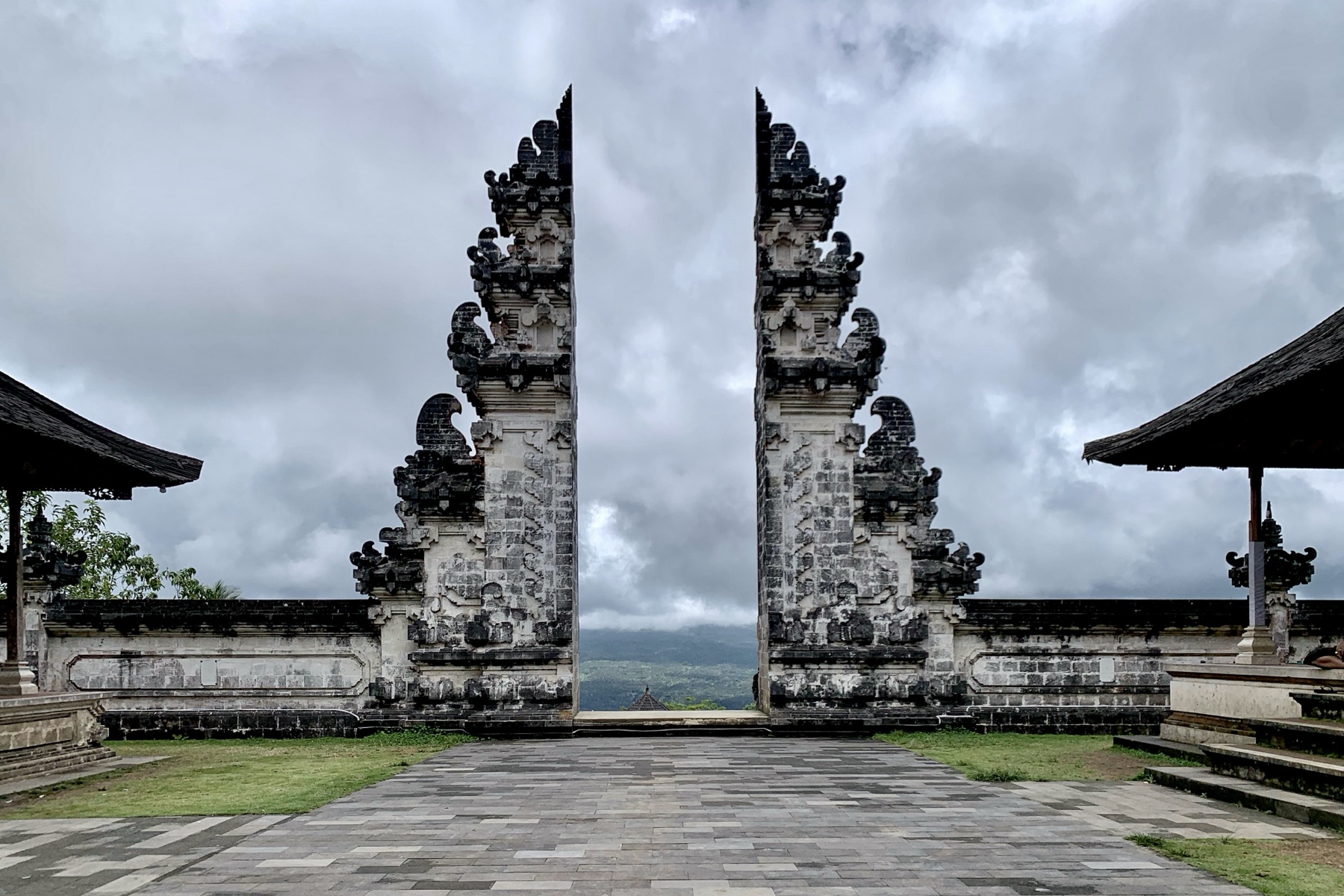
- Staged scenes. Bali's "Gates of Heaven" at Pura Lempuyang, shown in our cover photo, is the classic case. The still lake in countless photos was reported in 2019 to be a camera trick: a piece of glass or a mirror held under the phone lens. The temple is real and sacred, part of the Lempuyang complex on the slopes of Mount Lempuyang, which The Jakarta Post describes as one of Bali's six holiest places of worship. The lake isn't there. Go for the temple, not the reflection.
- AI-generated places. In 2025, an elderly couple traveled from Kuala Lumpur to Perak in Malaysia for a cable car they'd seen in a video. It was AI-generated and the ride didn't exist. Instagram adds an "AI info" label when Meta detects industry-standard signals or the poster discloses it, but that depends on those signals being there, so a missing label proves nothing.
- Old pictures. Reels resurface long after they're posted. Check the date, and search the place for anything newer.
- Reposts. Aggregator accounts often repost without a credit or a location. Use reverse image search to find the original, and that post may have the tag.
- Paid posts. Instagram's "Paid partnership" label is meant for posts where the creator was paid or received free products, and the US Federal Trade Commission says creators should disclose when they got anything of value. A paid stay can still be lovely. It's just not an independent review.
- Empty scenes. Sunrise, a drone and a wide lens can hide a parking lot or a long line. Look through the location page for ordinary photos taken by ordinary visitors.
To check where an image came from, Google's "About this image" shows when Google may first have seen it or similar images, how other sites use it, and any metadata suggesting AI. In the Google app, tap the Lens icon, pick your screenshot, swipe up and open the "About this image" tab. Google says this feature is only available in some regions.
FAQ
Can you see the exact GPS location of an Instagram photo?
Not from the post. A location tag is something the poster picked, not a GPS reading, and most platforms strip the original file's metadata. A screenshot won't help either, because it carries no information about where the photo was taken.
Can a location tag be fake?
It can be wrong. Anyone can pick any listed location, wherever they took the photo. Instagram says new locations can't be created in the app, but anyone can create a public location page on Facebook, and those can then be tagged.
Why don't travel creators just say where it is?
There are a few reasons: protecting a fragile spot, encouraging comments and DMs, or holding details back for a paid guide. Sometimes they just forgot, so it's worth asking.
Does Google Lens work on reels?
Not directly. Pause on the clearest frame, take a screenshot, and search that.
Does this work for TikTok too?
Yes. The image search steps are identical, though location tags are often missing on TikTok and more of the information lives in the audio. See our guide to turning TikTok travel videos into a plan.
Sources
- Instagram Help Center, hashtag and location pages: https://help.instagram.com/392382044488940
- Instagram Help Center, creating a new location: https://help.instagram.com/1618893218361276
- Instagram Help Center, adding or editing a location: https://help.instagram.com/841545179210359
- Adventure Travel News, generic geotagging and Jackson Hole: https://www.adventuretravelnews.com/generic-geotagging-an-opportunity-for-influencers-to-rethink-their-impact
- Leave No Trace, social media guidance: https://lnt.org/social-media-guidance/
- Frankfurt Kurnit, summary of Leave No Trace guidance: https://advertisinglaw.fkks.com/post/102f6v5/should-you-ask-consumers-to-geotag-when-posting-on-social-media
- ManyChat, Instagram comment automation: https://manychat.com/blog/enhancing-engagement-with-instagram-automation-a-strategic-guide
- Google Search Help, search with an image on iPhone: https://support.google.com/websearch/answer/1325808?hl=en&co=GENIE.Platform%3DiOS
- Google Search Help, search with an image on Android: https://support.google.com/websearch/answer/1325808?hl=en&co=GENIE.Platform%3DAndroid
- Apple Support, Visual Look Up: https://support.apple.com/guide/iphone/identify-objects-in-your-photos-and-videos-iph21c29a1cf/ios
- Apple Support, Visual Intelligence on your screen: https://support.apple.com/guide/iphone/learn-iphone-screen-visual-intelligence-emvqp5vyxukx/ios
- DomainTools, comparison of reverse image search platforms: https://www.domaintools.com/blog/a-brief-comparison-of-reverse-image-searching-platforms
- OSINT Curious, image geolocation tips: https://osintcurio.us/2020/11/01/ten-minute-tip-image-geolocation-part-1/
- Google Business Profile Help, closed businesses: https://support.google.com/business/answer/15300196
- The Jakarta Post, Lempuyang's Gates of Heaven: https://www.thejakartapost.com/travel/2019/07/06/balis-lempuyang-temple-gates-of-heaven-less-dramatic-than-expected
- New Straits Times, AI cable car video: https://www.nst.com.my/amp/news/nst-viral/2025/07/1238897/nstviral-elderly-couple-duped-ai-generated-cable-car-video
- Meta, labeling AI-generated content: https://about.fb.com/news/2024/04/metas-approach-to-labeling-ai-generated-content-and-manipulated-media/
- Instagram Help Center, paid partnership label: https://help.instagram.com/1109894795810258
- US Federal Trade Commission, Disclosures 101 for social media influencers: https://www.ftc.gov/business-guidance/resources/disclosures-101-social-media-influencers
- Google, 3 new ways to check images and sources online: https://blog.google/products-and-platforms/products/search/google-search-new-fact-checking-features/
- Google, how to access About this image: https://blog.google/products-and-platforms/products/search/google-about-this-image-update-july-2024/
- Google Search Help, learn more about an image: https://support.google.com/websearch/answer/14177408?hl=en
Cover photo: Chainwit, CC BY-SA 4.0, via Wikimedia Commons.